Subscription
Your plan status, expiry, and how to upgrade to Premium.
Was this helpful?
The Subscription section of Profile & Settings shows your current plan status, and Upgrade to Premium is where you choose or change a paid plan.
Checking Your Subscription Status
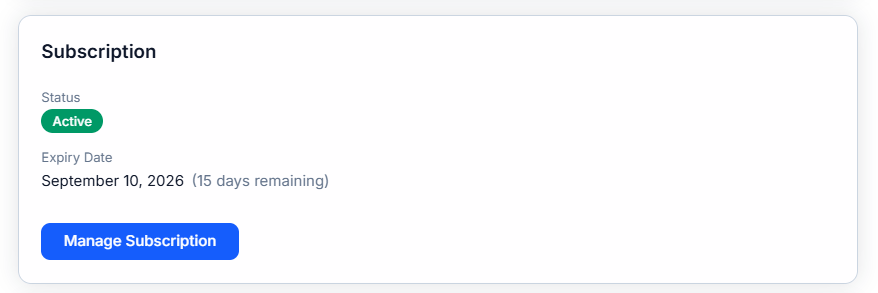
Under Subscription, you'll see a Status (for example, Active) and an Expiry Date, along with how many days remain before it expires. Tap Manage Subscription to make changes.
Upgrading
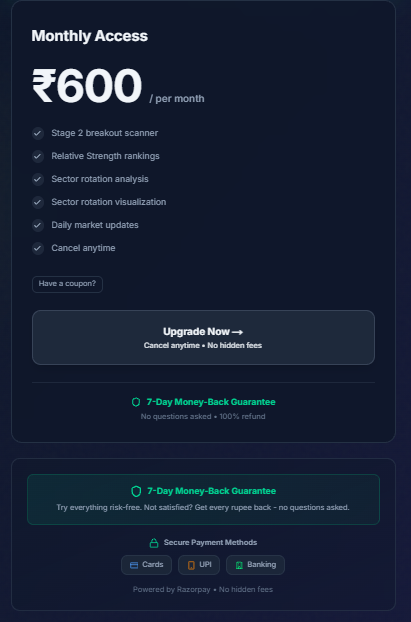
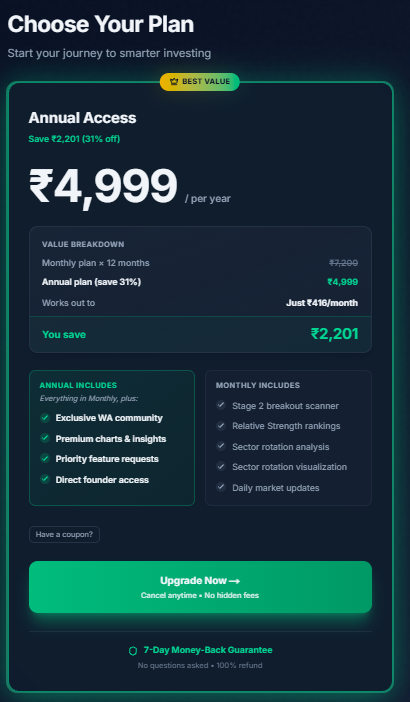
The Upgrade to Premium page lays out what's included with paid access, alongside two plan choices:
- Monthly Access — billed every month
- Annual Access — billed once a year, at a lower effective monthly cost