Import Your Tradebook
Upload your Zerodha or Upstox tradebook and let the journal build the trades.
If your trades already exist in a Zerodha or Upstox account, there's no need to sit and retype each one into the journal. Download the report the broker already keeps, upload it here, and the journal builds the trades for you.

Step 1: Upload the Tradebook File
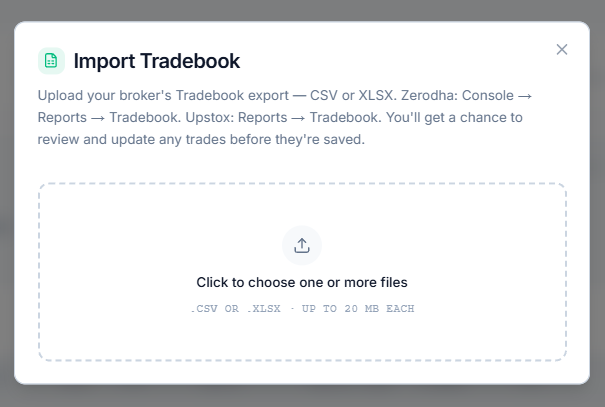
Select Import Tradebook next to Clear All in the summary bar to open the file picker. Upload the Tradebook report — not the P&L statement, Holdings list, or a contract note, since only the Tradebook has the individual buy and sell fills the journal needs.
Here's where to find it:
- Zerodha: Console → Reports → Tradebook
- Upstox: Reports → Tradebook
CSV or XLSX both work, up to 20 MB per file. No need to say which broker it came from — that's figured out automatically once the file is read.
Broker not listed, or trading across several?
In the upload window, select Upload Excel (after ICICI Direct in the list of supported brokers) and download the template from the steps it shows. The first sheet, Instructions, explains every column; fill in your trades on the second sheet, Trades (one row per buy or sell), and upload the file the same way. The greyed-out example row on the Trades sheet is never imported, so it's fine to leave it. The Instructions sheet also has a ready-made prompt you can paste into ChatGPT, Claude or Gemini along with your broker statements to fill the template for you — just check a few rows against your statement before importing. Trades already imported from a supported broker's file shouldn't go in the template too, or they'll be imported twice.
Step 2: Review What Will Be Imported
Once the file is uploaded, a preview appears. At this point, nothing has been written to the journal yet — this is a chance to check the trades look right and fix anything the file left unclear.
Two kinds of trades need to be reviewed here:
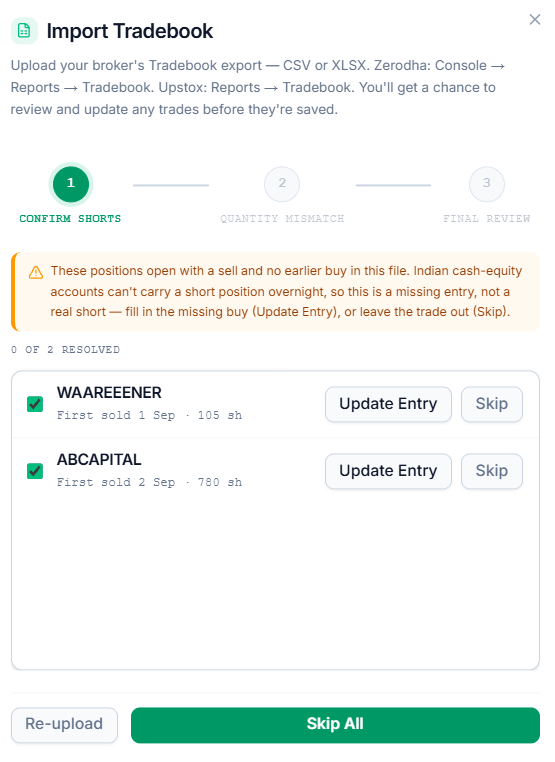
A position that only has a sell trade, and no matching buy trade
- A sell with no prior buy in the file almost always means the buy happened earlier and isn't in this file.
- This can't be a short trade since Indian cash accounts can't hold a short position overnight.
- Select Update Entry and enter the date and price of that earlier buy — quantity is filled in automatically
- If that buy isn't known, select Skip to leave the trade out rather than importing it with wrong numbers
- A count at the top shows how many are still unresolved
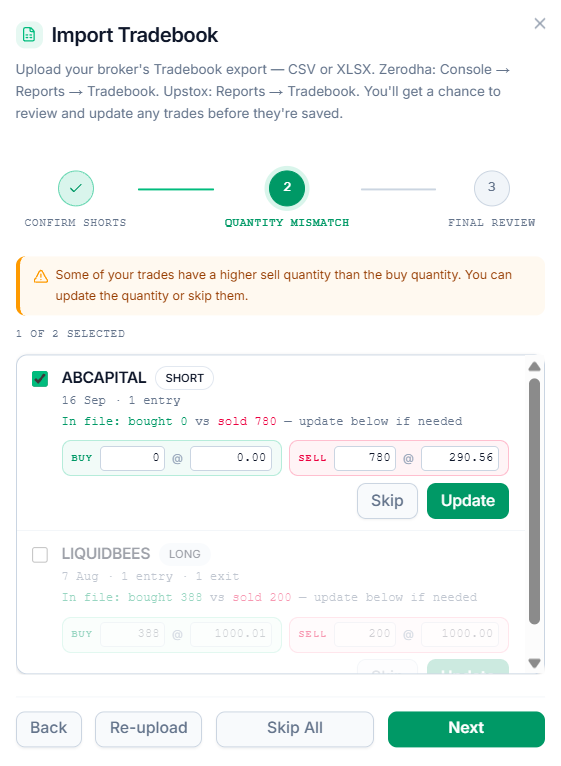
A trade where the buy and sell quantities don't match
This can happen when a position was built or closed in pieces and the buy and sell quantity do not match.
- The buy and sell quantity and price fields are editable directly in the row — correct them so both sides match, then select Update
- Or select Skip if it's easier to leave that one out and log it by hand later
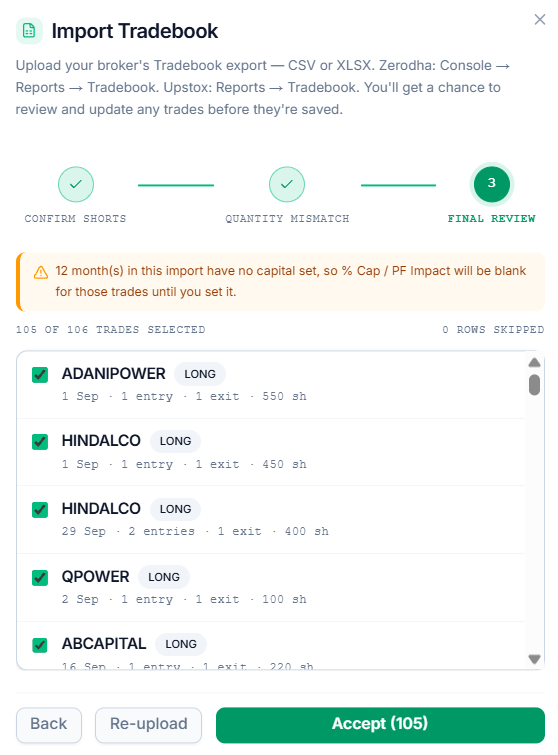
Once those are cleared, a final list shows every trade about to be imported:
- Each trade has a checkbox — checked to import that trade, or uncheck it to not import the trade
- Each row shows the symbol, direction (long or short), how many entries and exits make up the trade, and the total quantity, so it's easy to see what's about to be added before accepting
- If a symbol already has a trade logged in the journal, that row is marked existing trade in this symbol.
Step 3: Accept the Import
Select Accept to write the selected trades into the journal. This adds to existing trades — nothing already logged gets overwritten.
Common Questions
Why does a trade need review before it imports?
A handful of situations — a missing earlier buy, a mismatched quantity — can't be resolved from the file alone. Review exists so nothing gets guessed silently; every close call gets decided directly.
What happens to rows that get skipped?
They're left out of the journal and listed in the skip report with a reason.
Is it safe to upload the same file again by accident?
Yes. Importing again with the same file skips trades already brought in, so re-uploading a file is safe.
Why are some of my trades missing?
A row from the file can fail to turn into a trade for a few reasons:
- The symbol in the file couldn't be matched to a stock in our system
- The row is for an F&O contract, which isn't supported yet
- The row is an auction trade, which is skipped
- The row was incomplete or unreadable
- The quantity or price on the row didn't make sense
- The trade was already imported in an earlier upload
- The trade was excluded during review, on purpose
- Partial fills from the same broker order couldn't be matched up correctly
Related Articles
What Is the Trading Journal? · Log and Manage a Trade · Trading Journal Table