What Is the Tracking List?
Your personal shortlist of stocks, with live price, RS and Stage data.
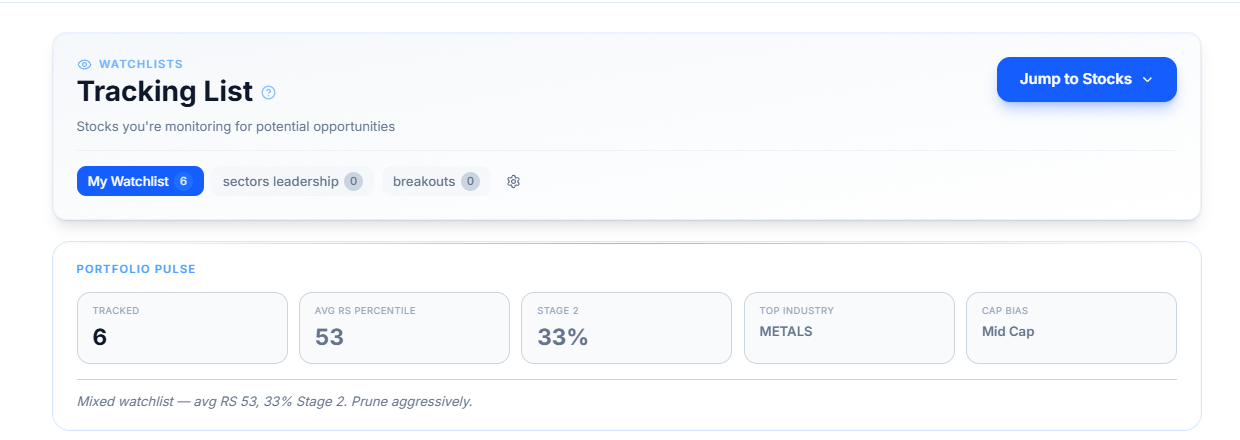
The Tracking List is where you keep an eye on stocks you're watching but haven't necessarily acted on. It's your personal shortlist, pulled out of the noise of the full market, with live price, RS, and Stage data updating alongside it.
What Problem It Solves
Screeners are built to search the whole market. The Tracking List is built for the handful of names you've already found and want to keep watching — new breakouts, stocks nearing a Stage 2 transition, or anything you're waiting on before it's ready.
What's Inside This Category
- How Do I Build and Manage My Watchlists? — creating multiple lists, adding and removing stocks, importing from TradingView, exporting your list
- How Do I Filter and Read the Tracking Table? — the filter row, view types, and what each column in the table means
- What Is Portfolio Pulse? — the summary bar above your table and what each number in it tells you
- What Do the Tracking Analytics Charts Show? — comparing your watchlist's industry and market-cap makeup against the broader market
- Track RS Trends for My Watchlist — following how your industries and stocks have moved over time
- Track Sector Rotation Chart for My Watchlist — seeing where your sectors and industries sit on the rotation map
- Today's Focus — the quick-glance ranking of your highest-RS tracked stocks
Common Questions
Is the Tracking List the same as a portfolio?
No. It doesn't ask what price you bought at or how many shares you hold. It's a watchlist — stocks you're monitoring, not positions you've reported owning.
Can I have more than one Tracking List?
Yes. You can create separate lists for different purposes — for example, one for general monitoring and another just for stocks near a breakout. See How Do I Build and Manage My Watchlists? for how to set these up.
How many stocks can I add to my Tracking List?
A minimum of 5 stocks is required to use the Tracking List — there's no fixed upper limit beyond that.