Comparing a Stock to Its Industry and Sector
See the stock against its peers, its industry, and its sector at once.
A stock rarely moves in isolation — it moves alongside the other companies in its industry, and one level up, its broader sector. This part of the page is built to let you see all three levels at once.
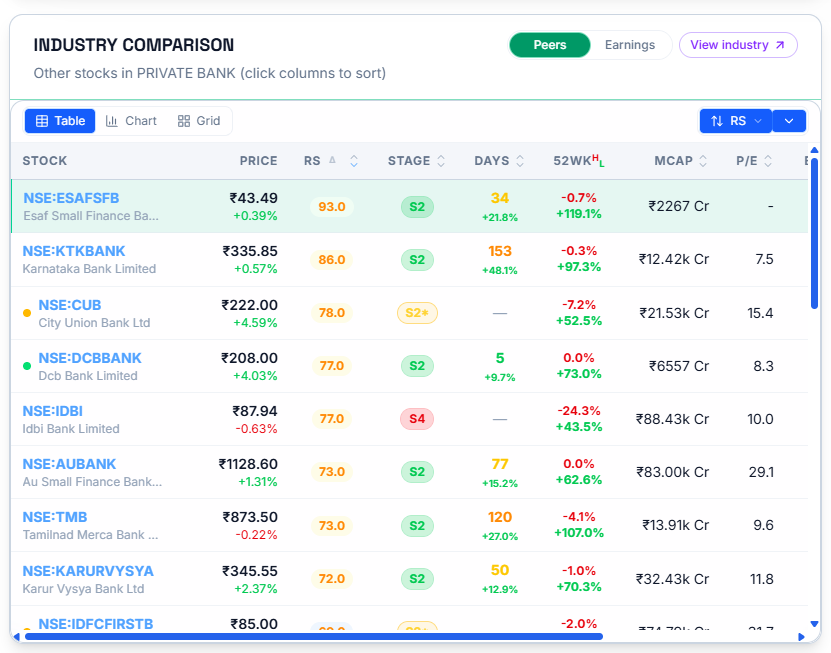
The Industry Comparison Table
This lists every other stock in the same industry along with their — Price, RS, Stage, Days, 52-week range, Market Cap, and P/E. Toggle between Peers and Earnings depending on what you want to compare, and select any column header to sort by it.
Earnings show the Quarterly Earnings Trend of the whole industry so that you know if the stock's industry has a tailwind.
The stock whose page you're on is highlighted within this list, so you can see exactly where it sits among its peers rather than having to hunt for it.
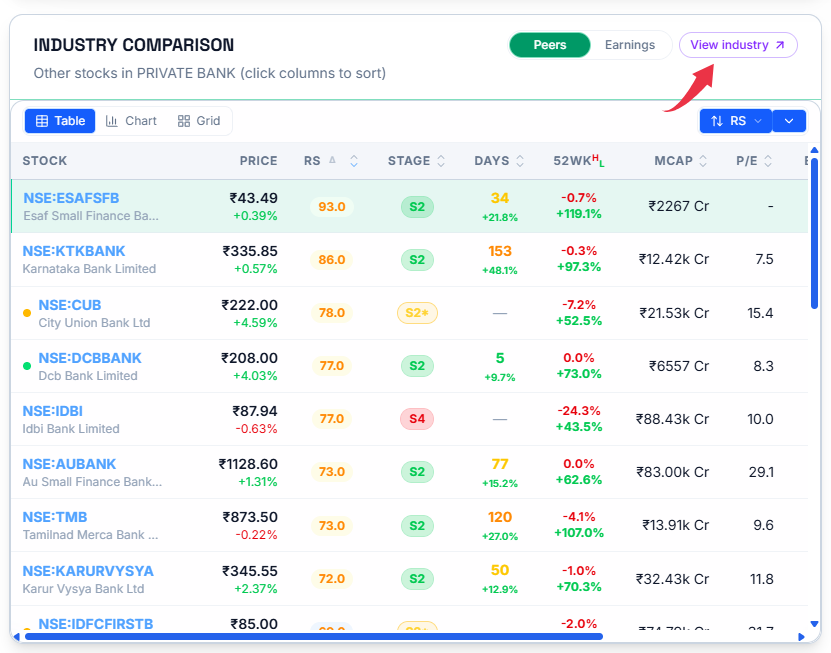
You can also visit the whole industry by clicking on the View Industry button on this table. Learn more about industries and industry analysis in What Is Industry Analysis?
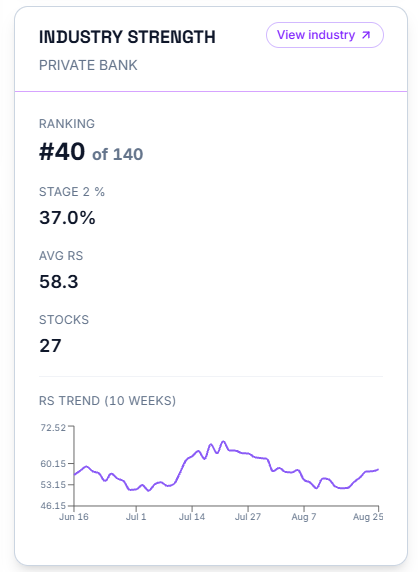
Industry Strength and Sector Strength Panels
These two panels sit side by side and follow the same format at two different levels. Industry Strength shows the stock's industry's own Ranking out of every industry WealthLab tracks, its Stage 2 %, Avg RS, number of Stocks, and a 10-week RS trend for the industry as a whole.
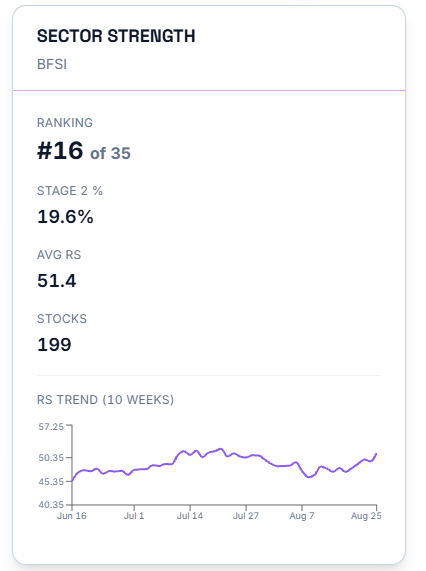
Sector Strength shows the identical breakdown one level up, at the broader sector. Looking at both together tells you whether a stock's industry is an outlier within its sector — strong even while the sector overall lags, for instance — or whether it's moving in step with the wider sector around it.
Common Questions
What does "View Industry" do, and does it take me to the same place as the industry rank badge in the header?
View Industry is a button on the Industry Comparison table that opens the full page for that stock's industry.
Related Articles
What Is a Stock Detail Page? · The Industry vs NSE500 Chart · What Is Industry Analysis?